Author Archives: base8innovations

Workday roadmap planning – the route to sustained success

In this blog, we look at Workday roadmap planning and why it is a critical step in ensuring your system remains in line with your needs.

The ability of an organisation to adapt at pace has never been more critical. Recent global events have shown how quickly businesses have had to evolve to survive. A robust roadmap is critical to ensuring that Workday and all associated processes continuously meet the current and future needs of the business.

Without it, you run the significant risk of paying your subscription for an HR system that is unfit for purpose and does not offer a return on your investment.

The roadmap planning process is integral to the success of your Workday project.

Your roadmap should be optimised over time to accommodate changes to your overall business strategy, alongside the Finance, HR, and IT functions.

Continuously reviewing and updating a cross-functional roadmap allow you to ensure Workday and its related infrastructure are ready and able to support your intended business outcomes.

Working in this way will enable you to

  • Understand the dependencies, stakeholders, timelines and desired deliverables in advance, enabling a proactive approach
  • Align your Workday resources appropriately to ensure maximum effectiveness
  • Minimise the risk of Workday failing to meet the business needs.

Let’s consider some examples

Perhaps your organisation is planning on moving to a new Finance system.

This project will require significant time and effort from the Workday support team to align processes and map data – particularly if an integration is planned.

Or maybe there are planned organisational changes, such as a large-scale restructuring programme, which will have impacts beyond the front-line HR activity. A roadmap that details a future event such as this will enable the Workday support team to iron out any issues with the Termination process ahead of the restructure.

Such organisational change has implications at a broader strategic level, through to more granular impacts such as a change in reporting line.

Similarly, if an organisation is seeking to branch out into an emerging market, there may be different fiscal, legal or regulatory requirements that need to be built into the system accordingly.

Knowledge of such business plans early on means you can ensure that your instance of Workday ready and adding maximum value.

Or maybe there is a need for different HR reporting such as Gender Pay gap. Working with HR to understand what reporting is needed could enable more informed business decisions based on data and insights.

In the current climate, it is inevitable that many businesses, large and small, will change the way they operate. These changes, in turn, will have challenges for HR and its underlying systems.


And those that have a clear roadmap will be best placed to respond to those challenges.

Get in touch to find our how Preos can help.

Optimising your Workday integrations landscape

In this blog we consider the benefits of effective Workday integrations with other applications and the importance of regular infrastructure reviews.

You bought Workday because you liked the idea of having a single platform for all your HR applications. But like many customers, you’ve probably found Workday doesn’t offer everything you need. 

So, you’ve invested separate ‘best of breed’ applications to give you the required functionality and implemented some sort of integration with Workday.

Integrating Workday with other HR applications is very common. But as your business grows and applications evolve, so does your HRIS landscape.

It’s essential, therefore, that you regularly conduct a Workday Infrastructure Review to ensure you continue to reap the benefits and maximise your return on investment. 

The benefits of optimised Workday Integrations

Integrations between HRIS applications bring a host of benefits to your organisation.

Accurate, Secure and Compliant

Reducing dual entry of data across your applications improves data accuracy and drives efficiencies in HR.

For example, if a new hire in Workday is automatically sent to your Learning Management System, it removes the need for secondary HR data input. 

Similarly – integrating HR and Payroll systems drives efficiencies in the monthly payroll processes, minimises risk and improves security which in turn helps to maintain compliance.

Additionally, regulatory compliance (e.g. GDPR) can be simplified with automated process and audit trails. Easily accessible reports on who’s taken mandatory training and automatic deactivation of account access on termination are other benefits of well-optimised integrations.

Single Source of Truth

Too often, organisations waste time questioning which data source they should trust. Mastering all data elements in one place enables you to make decisions on the same data. 

Easy Access and Increased User Adoption

Single Sign-On (SSO) means users can log into Workday without the need to remember usernames and passwords. Employees can also access pay information such as bank details and pay history if you integrate Workday with your Payroll system.

Enriched data and automated processes lead to an improved user experience, which in turn increases Workday adoption.

Data-Driven Decision Making

Operating standalone HR applications make it difficult for HR to see the bigger picture. Having a holistic view of all data items allows you to spot trends, using these to develop HR strategy.

Conducting your ROI Analysis

To create a viable business case for the introduction of a new integration or optimising an existing one, it’s essential to consider the IT costs against the expected benefits.

Don’t just look at the implementation costs; the ongoing support costs of integrations also need to be considered. These costs will vary depending on the integration type:

  • Workday Studio integrations offer more customisation, thus increasing the complexity. These require more effort to build.
  • Cloud Connect integrations provide pre-built connectors to third party vendors.
  • Enterprise Information Builder (EIB) is a simple export of data in/out of Workday. These are typically less expensive.

When performing your ROI analysis, be sure to review the business processes and look for gaps caused by disconnected applications or overlapping data sets. 

Ask ‘What is the cost of dual data entry?’. Grab your stopwatch and record the time taken to perform a typical administrative activity. It may only be a few minutes, but this quickly multiplies if the task is repeated 25 times a month! 

Typical Integration Challenges

Integrating two applications isn’t always straightforward. 

It involves data mapping exercises to allow data to flow between the applications. Duplicate, outdated, inconsistent, incomplete or incorrect data seriously slow down this exercise. A well-maintained data dictionary, regular data audits and well-designed processes can help drive standards and quality across your applications.

Heavy customisation of applications will increase the complexity of the integration design. Similarly, understanding process flows between systems is simpler in large organisations if global processes are in place.

Finally, resourcing an integrations project is a common challenge for organisations. You will need significant time from a wide range of stakeholders, including application owners, process owners and HR. This, coupled with the technical knowledge required to design and build the integration, makes integration projects difficult to deliver without third party support. 

Contact us to find out how Preos can help.

Image (C) Shutterstock | metamorworks

The dangers of deploying Workday at speed

Workday is built on a single code base, which means all customers start with exactly the same version.

This ensures that all Workday’s clients are up-to-date, benefit from fixes and upgrades immediately, and see the same core design.

This approach also simplifies support and makes it much easier for Workday to develop and deploy new functionality consistently.

Workday releases regular updates and enhancements to all customers at once, and there is a defined process to review, test and deploy these changes that is the responsibility of the customer.

During your Workday implementation, you will have been advised to stick to ‘out of the box’ configuration as much as possible.

This undoubtedly makes deployment faster and easier, but it means your business may have had to compromise the ways you do things to fit within the standard Workday processes.

And compromises lead to gaps in functionality that impact Workday adoption.

Another consequence of rapid deployment can be a lack of planning for the post-Go Live management of Workday. This includes the direct support team and also the system management – the process to plan, configure, test and deploy changes and updates to the live production tenant.

Workday requires you to continuously adapt your business to take advantage of the regular enhancements and new features.

You cannot stand still.

You need a solid, reliable design base to build on and effective processes to plan, build, test and deploy new functionality while providing support to your business for day-to-day activities.

Issues with design can lead to increased support calls, poor user experience and poor Workday adoption, all of which can derail your ability to adopt new changes.

It becomes a vicious circle that needs to be broken.

How can you identify whether your Workday deployment and support structures have been compromised?

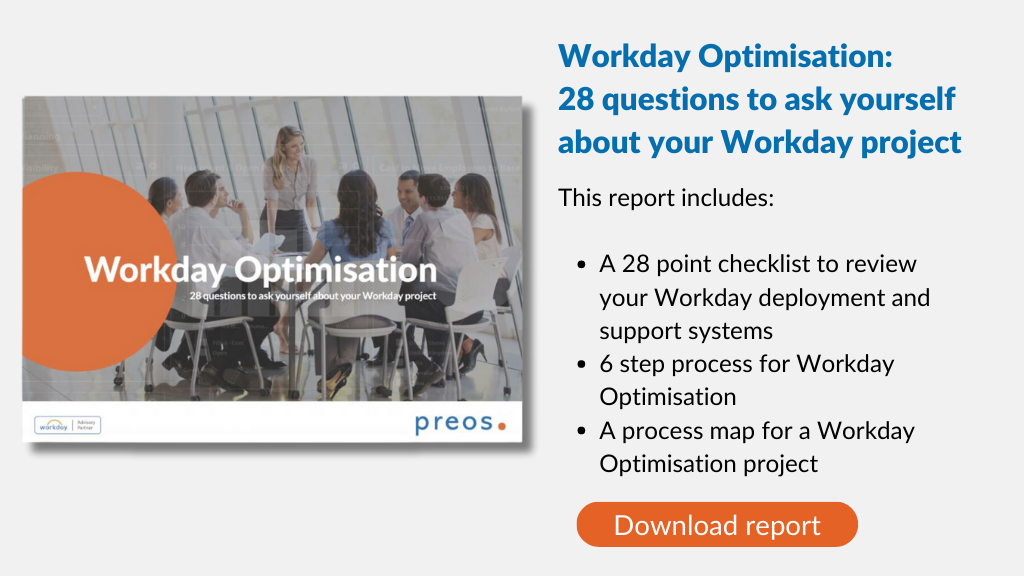
Conduct a high-level review of your Workday deployment and support structure using our free checklist.

The checklist examines the challenges you may encounter post-implementation – particularly if the process has been rushed. 

Use it to uncover the issues that may explain why Workday is not meeting all your expectations. It will also help you to start your action plan to close the gaps.

We’ve also included a six-step guide for running a Workday Optimisation programme. 

Download Workday Optimisation: 28 questions to ask yourself about your Workday project here.

Contact us to find out how Preos can help.

Image (c) Shutterstock | TierneyMJ

Workday Optimisation – 5 ways to maximise your Workday return on investment

How do you optimise Workday to get the maximum return on your investment?

After the initial deployment of Workday, you might be inclined to sit back and leave the system to work its magic. 

And Workday delivers big results, helping organisations to gain deeper insights and streamline business processes. 

But to maximise the value you get from Workday, you’ll need an ongoing lifecycle of optimisation and support. 

In this article, we explore the common challenges that organisations experience in managing and optimising Workday, and share five ways to overcome them.   

1. Optimise user adoption

No matter how smart your HRIS system, if people don’t use it, it’s not going to deliver results. Yet in our experience, far too little attention is paid to user adoption in many implementation projects.

Your people need to be comfortable and confident in using Workday so that it becomes a regular part of their work. 

The first step is to understand your current engagement levels and where there are any issues. There are many user analytics and Workday adoption tools that can help here to help you identify

  • What are the drop off hot spots?
  • Which functionality is used infrequently and why?
  • How do employees rate their experience? 

From there, you can introduce training, communications and improvements to make Workday easier and more satisfying to use.

2. Apply project and change management 

Workday Implementation is no different from any other business-critical activity. You’ll need excellent project and change management capability to make sure it runs smoothly. 

Agile project management is just as crucial after go-live to help you implement ongoing updates. With Workday software releases every six months, underpinned by weekly updates to address bugs and small functional enhancements, this is no small task. 

Add to those regular updates from Workday any internal configuration changes, and the importance of preparing and supporting your people through the changes to keep adoption and understanding high becomes clear. 

3. Have a great support structure

With immediate attention focused on getting Workday implementation right, the need for a dependable Workday support structure often gets neglected. But your user support team plays a critical role in optimising Workday.

They will assist with updates and rollouts (testing transitions and changes, for example) and manage vendors, as well as supporting users. They ensure your staff find it easy to get the services they need.

4. Improve your data accuracy

Garbage in; garbage out.

The quality of your data in Workday is pivotal; it impacts on your analysis and insight, and therefore the decisions you make. All successful Workday implementation projects involve a thorough cleanse of data before it is uploaded onto the system.

Over time however, the quality of your data may deteriorate if it does not get the attention it requires. You need to have the steps in place to review and update your data and processes on an ongoing basis. We use powerful people analytics tools to cleanse and update data, accelerating the delivery of Workday optimisation

5. Integrate systems and processes

How do you optimise your Finance and HR processes, when they cut across so many different systems and applications? 

The key to unlocking the most value from Workday is to ensure your different systems are integrated effectively. Importantly, integrations allow you to automate and streamline manual processes, which helps to drive user adoption and efficiency.

It’s no surprise that users stop using processes when systems don’t integrate well. By bringing together your processes and data sources in one place, you’ll have visibility across your organisation, helping you to adapt to industry changes more quickly.

When you are mapping processes and identifying any improvements needed in Workday integrations, always take an end-user perspective, putting the user experience first.

Follow these five steps and you will maximise your Workday return on investment.

Contact us to find out how Preos can help.